/ SEPTEMBER PRODUCT UPDATES
Roster Shift Replacement Filling an unexpected gap in your roster just got faster. When a crew member goes on leave or calls in sick, Roster Shift Replacement suggests suitable personnel to cover the shift directly from the roster screen, automatically accounting for conflicts and required qualifications. No more navigating across multiple pages or modules to work out who can step in. Once you select from the recommendations, the system prompts those crew members by email to log in and confirm their availability, then shows you exactly who has accepted so you can make the final call with confidence.
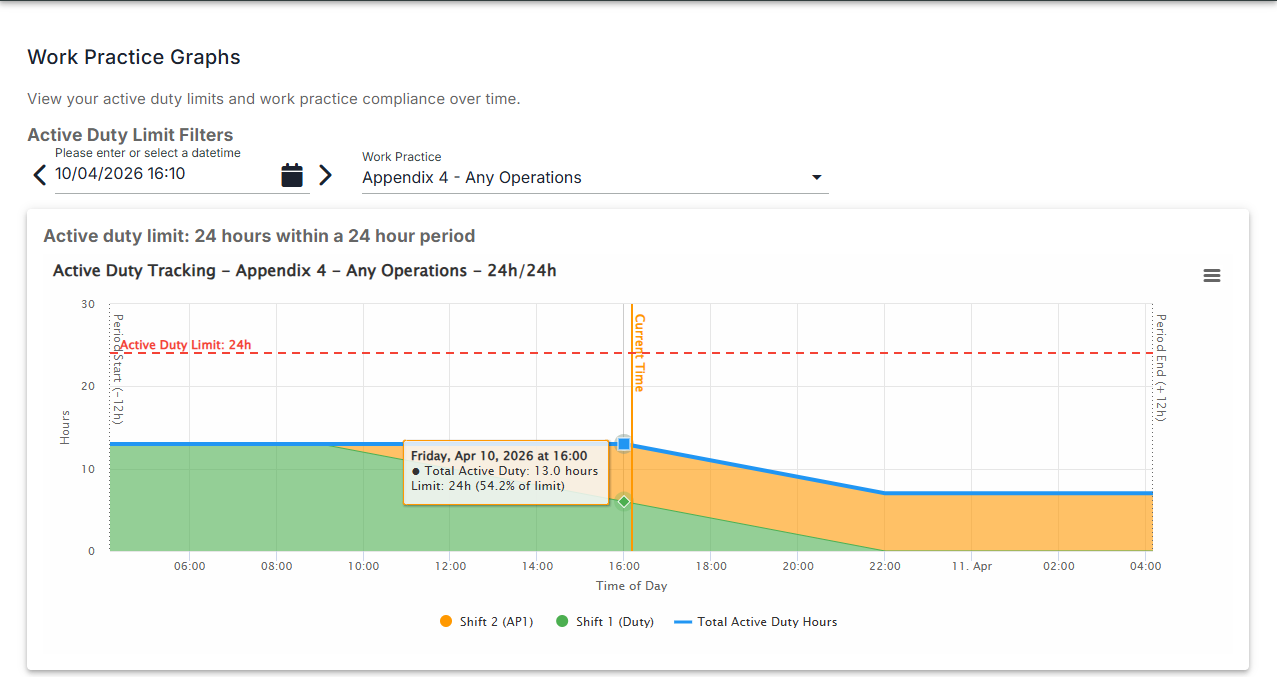
Built for operations with complex rostering rules around recency and work practices, this feature helps you keep crewing levels covered without the manual guesswork.
- Faster decisions: see qualified, conflict-free replacement options without leaving the roster
- Greater confidence: every suggestion already meets your qualification and compliance requirements
- Less admin: automated availability requests and a clear view of who has confirmed
- Better coverage: respond to leave and sick days quickly to maintain safe, sufficient crewing at all times
Want to learn more about what's new in Ops & Safety Suite? Contact your Vellox account team.
/ JUNE PRODUCT UPDATES
Roster Shift Replacement
Roster Shift Replacement
Roster Shift Replacement is now available in Ops & Safety Suite
Filling an unexpected gap in your roster just got faster. When a crew member goes on leave or calls in sick, Roster Shift Replacement suggests suitable personnel to cover the shift directly from the roster screen, automatically accounting for conflicts and required qualifications. No more navigating across multiple pages or modules to work out who can step in. Once you select from the recommendations, the system prompts those crew members by email to log in and confirm their availability, then shows you exactly who has accepted so you can make the final call with confidence.
Built for operations with complex rostering rules around recency and work practices, this feature helps you keep crewing levels covered without the manual guesswork. The benefits for your team:
- Faster decisions: see qualified, conflict-free replacement options without leaving the roster
- Greater confidence: every suggestion already meets your qualification and compliance requirements
- Less admin: automated availability requests and a clear view of who has confirmed
- Better coverage: respond to leave and sick days quickly to maintain safe, sufficient crewing at all times
Fleet Manager × Ops & Safety Suite Integration
Fleet Manager × Ops & Safety Suite Integration
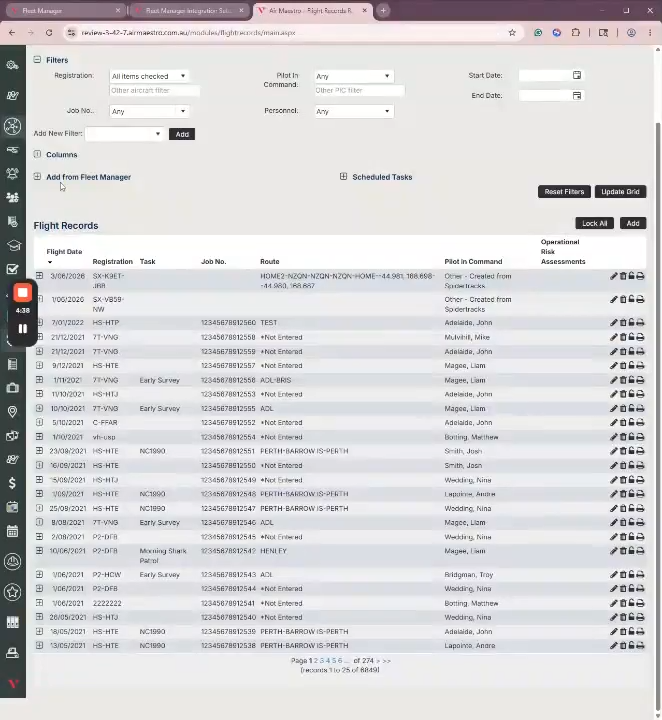
Fleet Manager captures every flight event with precision: engine times, block times, leg durations, GPS-stamped takeoffs and landings. The Fleet Manager × Ops & Safety Suite integration puts that data to work.
Flight data flows directly from Fleet Manager into Ops & Safety Suite Flight Records, pre-populated and ready for your team to review, verify, and sign off. No manual re-entry. No transcription errors. Faster record close-out.
What's included:
- Aircraft and crew mapping: match your Fleet Manager aircraft and personnel to Ops & Safety Suite so the right data is assigned to the right record, every time
- Flexible field mapping: control exactly which data points populate which flight record fields, so the integration fits your operation, not the other way around
- Multi-leg flight support: merge individual tracks into a single record for operators who log each leg separately, keeping your workflow intact
- Team-verified sign-off: data is pre-populated for your team to review and approve, so your people stay in control of every record
One connected operation. Accurate records. Less admin every flight.
Setup is a one-time configuration, supported by your Vellox account manager.
See it in action
Watch Liam walk through the full integration setup and workflow, from connecting your Fleet Manager instance to importing flight data directly into an Ops & Safety Suite Flight Record here.